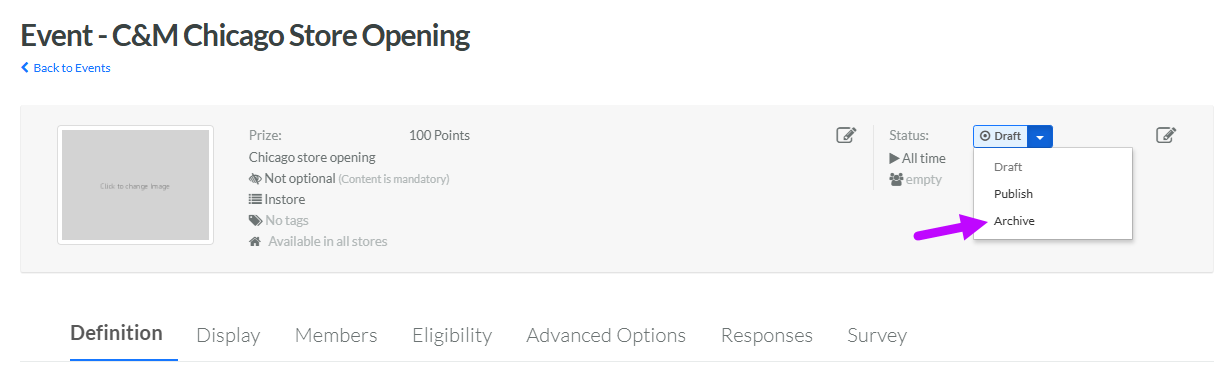
Archive an Event
The Archive status allows you to remove an unneeded Event from search results without actually deleting the Event. This action helps keep your workspace organized, while retaining the Event for future reference or reactivation.
To archive an Event:
-
Select Communities from the top navigation bar, then select Communities > Events from the side navigation menu. The Events screen is displayed. By default, List View is selected.
-
Search for and select the desired Event (see Search for an Event for more information on the available search options). The Event Details screen is displayed, with the Definition tab displayed by default.
-
From the header area of the screen, from the Status drop-down menu, select Archive. A confirmation dialog box is displayed; click Confirm.